Can AI Redline a Contract? Probabilistic vs Deterministic Comparison
AI can describe the changes between two contracts, but it can't reliably redline a contract, so it should not be the source of your redline. A chatbot predicts what most likely changed. It cannot guarantee it found every edit, and asking the same question twice can produce two different answers.
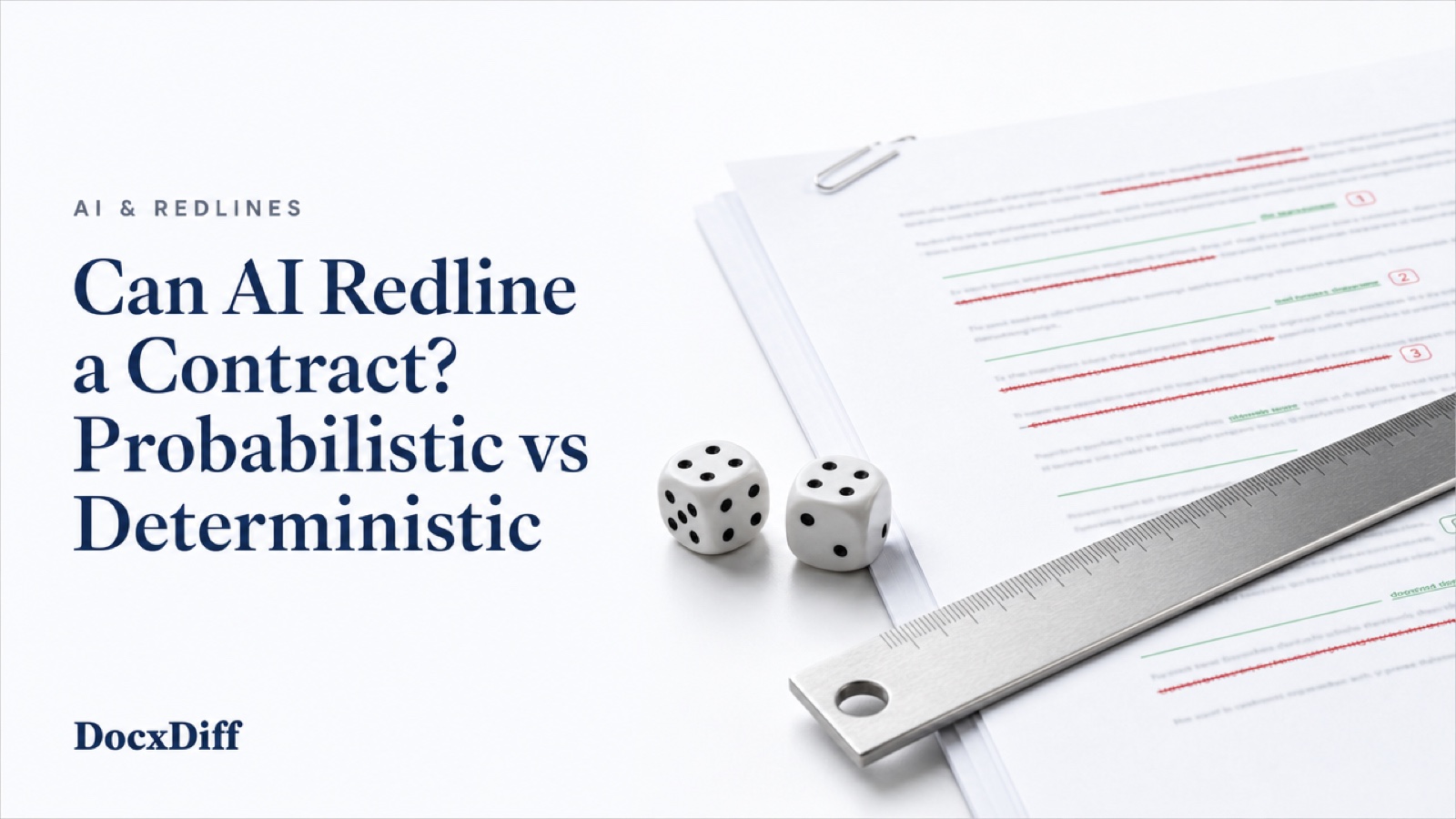
For the record of what changed, use a deterministic, word-level comparison. It reads every word and gives the same result every time. AI can then help you sort or summarize that verified list, and you check each point against the redline.
This guide explains the difference, shows where each approach fits, and gives you a test you can run yourself in about twenty minutes.
Two ways a computer can "compare" documents
Deterministic comparison
A deterministic, or rules-based, system follows instructions fixed in advance. A comparison engine lines up the original and revised text and marks every word that was added or removed. Give it the same two files and it produces the identical result every time, whenever you run it.
Because the process is known, you can check the output. Any marked change can be traced to the exact words in each version.
Probabilistic comparison
A large language model (LLM) works differently. It generates the most statistically likely response to your prompt. Ask it what changed between two drafts and it predicts what probably changed. It has no built-in way to confirm that prediction against the source text. Run it again and you may get a different list.
That doesn't make LLMs useless. It means a reviewer can't simply check whether the model followed its process, because there is no fixed process to check against. To trust the answer, you have to rebuild it: find every claim, confirm each one in both documents, and look for what was left out. At that point you are doing the comparison yourself.
How AI goes wrong on long documents
Three failure modes matter for contracts.
Omission. The model reports some changes and silently skips others. Nothing in the answer tells you the list is incomplete. LLMs also get less reliable as documents get longer, a problem sometimes called context rot, where the model's attention drifts as it reads more text. Some tools won't even accept the full text of a document that runs to hundreds of pages.
Paraphrase. The model summarizes a change instead of showing it. "Payment terms were extended" is not the same as "thirty (30)" becoming "forty-five (45)." In a negotiation, the exact words are the point.
Invention. The model reports a change that isn't there, or attributes wording to the wrong version. A false change wastes time. A false "no change" can cost much more.
The gap can be large in practice. A general chatbot's answer depends heavily on how it is prompted, and even careful prompting tends to miss moved sections and renumbered clauses, the edits that matter most in a long contract. Its output is also a summary or a reformatted file, not a redline anyone could send.
Real matters are rarely 18 clean pages. They run longer, carry more edits, and have usually been reformatted by at least one side.
Why a legal redline needs completeness and reproducibility
A redline is a record. You rely on it before you sign, when you advise a client, and when you respond to the other side. It has to meet two tests.
Complete. Every change appears, including the small ones. A wrong date, a quietly changed number, or "shall" softened to "may" can change what a contract means. A summary that catches most changes is not a summary you can sign on.
Reproducible. Anyone who runs the same two files should get the same result. If a colleague questions "change 14," you can both open the same redline and look at the same words. A probabilistic answer can't offer that, because a second run may produce a different list.
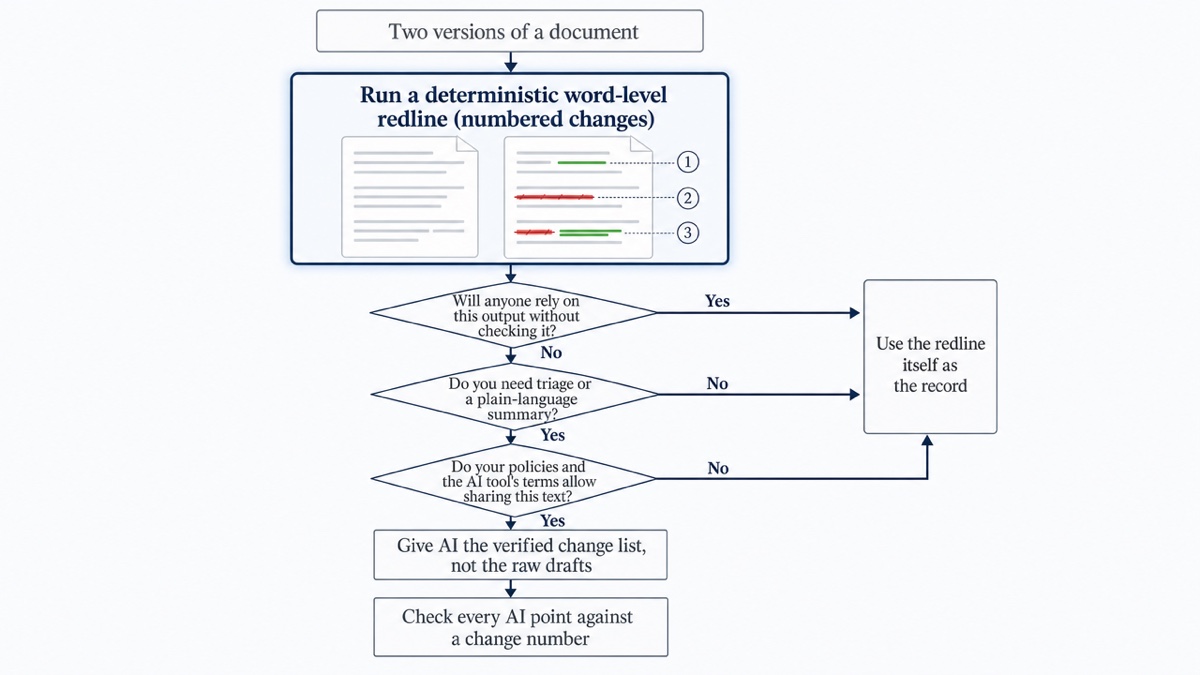
A useful rule of thumb: if you would hand the output to a client or opposing counsel without checking it, it has to come from a deterministic tool. If you plan to review and revise it first, AI may fit that stage. For the full review process, see how to compare contract versions.
Where AI summaries do add value
AI is useful for tasks where a rough answer is acceptable and mistakes are easy to catch:
- Triage on long, heavily reformatted drafts. A summary can point you to the sections with the most activity so you read those first.
- Grouping related edits. For example, "these twelve changes all relate to the indemnity cap."
- Plain-language explanations for a business stakeholder who won't read the redline.
- Drafting the cover email that goes out with your redline.
In each case the AI works from something you can check, and you remain responsible for the conclusions.
A hybrid workflow that keeps the record trustworthy
- Run a deterministic redline first. It is your complete, numbered list of changes.
- Strip noise you have decided doesn't matter. Ignoring capitalization or whitespace-only edits keeps the list focused on wording. See how to ignore formatting changes in a redline.
- Optionally hand the verified change list to an AI tool. Give it the list, not the two raw drafts, and only if your policies allow it. Ask it to cite change numbers for every point.
- Check the summary against the redline. Every claim should point to a numbered change. Confirm that substantive edits are kept separate from cosmetic ones, that each conclusion is supported by the before-and-after text, and that a person has read every high-impact change. Any point without a change number should be treated as unverified.
- Keep the redline, not the summary, as your record.
Run your own test: plant edits and score the results
You don't have to take anyone's word for this. Use a contract you're allowed to experiment with, such as a template or an expired, non-confidential agreement.
1. Make a copy and plant ten edits. Write each one down in a numbered list. Include:
- a date changed by one day
- a dollar figure changed by one digit
- "shall" changed to "may" in one clause
- the word "not" inserted or deleted
- a defined term renamed in only one place
- one sentence deleted from the middle of a long paragraph
- one clause moved to a different section
- one section renumbered
- a cell changed inside a table
- a comma moved so a list reads differently
2. Run the AI tool. Paste both versions with the prompt "List every change between these two documents." Save the answer. Then open a new session and run the identical prompt again.
3. Run a deterministic comparison on the same two files.
4. Score each output against your list:
- Caught: how many of the ten planted edits appear, with exact wording?
- Paraphrased: how many were described rather than shown?
- Invented: did it report changes you didn't make?
- Consistent: did the two AI runs match each other?
Pay close attention to the move and the renumbering. A plain word-level diff usually shows a moved clause as text deleted in one place and inserted in another, which is still a complete record. A chatbot may drop it entirely. Whatever result you get, you will have evidence from your own documents rather than a claim from a vendor.
Confidentiality: think before you paste
When you paste a draft into an AI tool, that tool's data-handling and privacy terms decide what happens to the text. Some services keep inputs or use them for training. Others offer business settings that don't. Before sharing client or company drafts, check your organization's AI policy and the tool's current terms.
For lawyers, the professional duty to protect client confidences generally applies to the technology you choose to process client information, so sharing a privileged draft with an outside service deserves deliberate judgment.. Requirements and guidance vary by jurisdiction. This page is general information, not legal advice. Consult a qualified professional, such as your firm's ethics counsel, about your situation.
Scanned PDFs: check the text before any comparison
A scanned PDF is a set of page images with no text layer. Any tool, AI or deterministic, has to recognize the text before it can compare it. AI tools that try to reconstruct the layout of a scan can report changes that aren't there. Whatever method you use, spot-check the recognized text against the page image for numbers, dates, and names, because a misread digit looks exactly like a real edit.
How DocxDiff fits
DocxDiff is a deterministic comparison tool. It does not use AI to judge, rank, or interpret changes. It shows exactly which words changed, and you decide what they mean.
- Word-level redline. Insertions appear in green and deletions are struck through in red, inline or side by side.
- Numbered changes. Every edit gets a number, so a human reviewer, or an AI summary you are checking, can cite "change 14" and everyone can find it. Use j/k to move from change to change, and filters to show only additions or only deletions.
- Runs in your browser. Documents are not uploaded unless you sign in and save a comparison. On Pro, a scanned PDF is sent for OCR only after you approve it.
- A record you can keep. Export HTML or Markdown reports for free, or save the comparison with a free account, which stores both source files so you can reopen the exact redline later. Pro ($12/month) adds PDF comparison with page-accurate redlines and moved-text detection, page view, scanned-PDF OCR, PDF exports, and branded reports.
DocxDiff compares text, not formatting. A change to bold or font won't appear. For how the terms differ, see redline vs blackline.
Run your planted-edit test on DocxDiff. It's free, no account required.
Frequently asked questions
Can ChatGPT compare two contracts?
It can give you a description of differences, and that can help with a first read. It can't guarantee it found every change, and two runs may disagree. Use a word-level redline as the record and treat any chatbot answer as a summary to check against it.
Can AI replace document comparison tools?
Not for the redline itself. A comparison tool reads every word and produces the same result every time. AI is better suited to tasks on top of that verified list, such as triage, grouping related changes, or a plain-language summary.
Does DocxDiff use AI?
No. DocxDiff runs a deterministic word-level comparison. It does not use AI to judge changes, flag clauses, or suggest edits. Because it shows what changed rather than what the change means, the legal reading stays with you.
Is it safe to give an AI tool my DocxDiff report?
That depends on your organization's policies and the AI tool's data terms, not on DocxDiff. If sharing is allowed, a Markdown report gives the AI a numbered change list to work from. Check every point it returns against the change numbers.
Will a deterministic redline catch formatting changes?
DocxDiff compares text at the word level, so changes to fonts, bold, or styles won't appear. You can also choose to ignore capitalization and whitespace-only edits, which keeps the redline focused on changes in wording.